When people find out I run our own cloud infrastructure from an RV, I usually get one of two reactions. Either their eyes glaze over completely, or they lean in and ask, "Wait, you can do that?" The answer is yes, and I want to tell you why we did it, what it actually looks like in practice, and whether it makes sense for your family.
Fair warning: I am going to keep this non-technical. If you want the nuts and bolts, I wrote a whole separate post for that. This one is about the why and the what, not the how.
Why We Stopped Renting Our Digital Life
A few years ago, I sat down and added up what we were paying every month for cloud services. iCloud storage for photos. A password manager subscription. A separate calendar app. A budgeting tool. Cloud storage for documents. A media streaming service or three. It was not an outrageous number on any single line, but together it crept past what I was comfortable with, especially for a family chasing financial independence.
But money was only part of it. The bigger issue was control. Our family photos lived on someone else's servers. Our passwords were in someone else's vault. Our financial data sat in someone else's database. And every one of those companies could change their pricing, their terms, or their privacy policies whenever they wanted, and we would just have to live with it.
I am a tech person. I have been tinkering with servers since I was a teenager. So I started wondering: what if we just ran all of this ourselves?
Not as some survivalist off-the-grid thing. More like growing your own tomatoes instead of buying them at the store. Same tomatoes, but you know exactly what went into them, and nobody can take your garden away.
What We Actually Run
Here is the simple version of what our family cloud looks like. Each of these replaces a paid service we used to subscribe to, and they all live on servers we control.
| What We Need | Our Solution |
|---|---|
| Photo & video backup | Immich — like iCloud Photos, but ours |
| Password manager | Vaultwarden — like LastPass, but self-hosted |
| Family calendar & contacts | Radicale — syncs with iPhone and Android |
| Movies & music streaming | Plex — Netflix for our own media library |
| File sharing & documents | FileBrowser — like Dropbox, from anywhere |
| Family budget tracking | Actual Budget — envelope budgeting, fully private |
| Single sign-on for everything | Authentik — one login for all family apps |
Let me walk through a few of these so you can see what the day-to-day experience is actually like.
Photos: Immich
This is probably the one that gets the most questions. Immich looks and feels remarkably like Google Photos or iCloud. You install an app on your phone, and it automatically backs up every photo and video you take. You get facial recognition, location-based browsing, shared albums, the whole thing. The difference is that every single image lives on our server, not on Google's or Apple's. Nobody is scanning our family photos to train an AI model. Nobody is going to suddenly announce that free storage is ending and we need to pay up or lose our memories.
Passwords: Vaultwarden
If you have ever used Bitwarden or LastPass, you know the drill. You have one master password, and the app fills in all your other passwords automatically. Vaultwarden is the same experience, same browser extensions, same mobile apps, but the encrypted vault lives on our server. When LastPass had their big security breach a couple of years ago, I was very glad our passwords were not in that pile.
Calendar and Contacts: Radicale
This one is invisible in the best way. It syncs with the built-in calendar and contacts apps on every phone and computer in the family. Melissa adds a vet appointment on her phone, and it shows up on mine thirty seconds later. No Google account required. No iCloud dependency. It just works over a standard protocol that every device already understands.
Movies and Music: Plex
Plex turns our personal media library into a streaming service. We open the Plex app on the TV, and it looks like any other streaming platform, with artwork, descriptions, and everything organized by genre. The kids can watch their movies on a tablet in the back of the RV while we are driving through a national park. It works offline, too, since you can download things for when cell signal disappears.
Budget: Actual Budget
For a family pursuing FIRE, having a budgeting tool we trust is non-negotiable. Actual Budget uses the envelope method, which is how we manage our money. Every dollar gets a job before the month starts. The fact that our financial data never leaves our server is a nice bonus when you are tracking your entire net worth in one place.
One Login: Authentik
This is the glue that holds everything together. Instead of every family member remembering a dozen different passwords for a dozen different apps, everyone signs in once through Authentik. It is like the "Sign in with Google" button you see on websites, except it is our own system. Melissa, the kids, and I each have our own account, and I control who has access to what.
The Hardware: No Server Rack in the RV
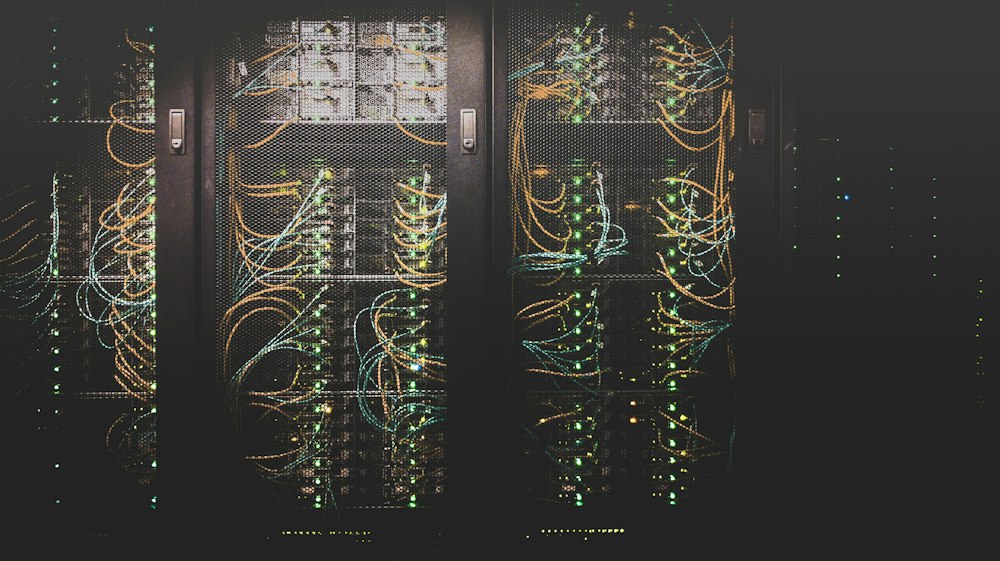
I want to clear up a misconception right away. We do not have a humming server sitting in a closet in the RV. That would be ridiculous. We would drain the batteries in an hour, and the heat alone would make summer unbearable.
Instead, everything runs on cloud servers. Think of it like renting an apartment for your software instead of buying a house. We have two small servers in data centers, one in Virginia and one in Toronto, that run all of our services. They cost a fraction of what we used to pay for subscriptions, and they have better internet connections than any campground ever will.
The servers are always on, always connected, and do not care whether our RV is parked in a Walmart parking lot or a campground with satellite internet. When we open Plex or check the family calendar, we are connecting to those servers, not to anything physically in the RV.
The Magic Tunnel: Tailscale
Here is the part that makes it all feel seamless. There is a tool called Tailscale that creates an encrypted private tunnel between all of our devices and our servers. You can think of it like a secret hallway that only our family can walk through.
When I open my laptop at a coffee shop, Tailscale automatically connects me to our servers through this private tunnel. Nobody else on that coffee shop Wi-Fi can see what I am doing or access our services. It works on phones, tablets, laptops, everything. The kids do not even know it is there. They just open their apps and everything works.
The best part is that all of our services are invisible to the public internet. There is no login page sitting out there for hackers to poke at. If you are not on our Tailscale network, our services simply do not exist as far as you are concerned.
The Honest Truth About Complexity
I would be lying if I said this was all sunshine and smooth sailing. Running your own infrastructure is a commitment. Things break. Updates need to happen. Occasionally, at 11 PM when I would rather be reading, something goes down and I have to figure out why.
I have built monitoring that watches everything and texts me when something goes wrong. Most of the time, things fix themselves or need a simple restart. But every few weeks, there is something that requires actual problem-solving. A software update that changes how things work. A cloud storage provider that decides to throttle our connection. A certificate that expires.
Melissa has been incredibly patient about the times I have disappeared into my laptop for an hour to chase down some obscure issue. But she also appreciates that our photos are backed up somewhere we control, that our passwords are truly secure, and that we are not sending another family's worth of monthly fees to Silicon Valley.
For me, honestly, the tinkering is part of the fun. I am the kind of person who would rather spend a Saturday afternoon building something than buying it off the shelf. If that does not sound like you, and there is absolutely nothing wrong with that, I have some recommendations.
Running your own family cloud is like maintaining an RV. You can absolutely do it yourself, and it is rewarding when everything hums along. But you have to enjoy the maintenance, not just the destination.
The Monthly Savings
People always want to know about the money, and this is a FIRE blog, so fair enough. Our two cloud servers together cost less than what we used to pay for iCloud storage, a password manager, a calendar service, and a budgeting app combined. We are not talking life-changing money here, maybe $30 to $40 a month in savings. Over a year, that is a nice dinner out. Over a decade, it adds up.
But the real value is not in the dollars saved. It is in knowing that our data is ours, that no company can pull the rug out from under us, and that I have learned an enormous amount in the process. The skills I have picked up managing this infrastructure are directly applicable to my career, which is its own kind of return on investment.
If You Are Not Technical (And That Is Totally Fine)
You do not need to build your own cloud to get most of these benefits. Here is what I would recommend for families who want privacy and simplicity without the maintenance:
- Photos: iCloud Family Sharing or Google One — dead simple, works great
- Passwords: 1Password Families — excellent security, beautiful apps
- Calendar: Apple or Google Calendar — already on your phone
- Budget: YNAB — the gold standard for envelope budgeting
- Files: iCloud Drive or Google Drive — built in and reliable
- Media: Plex still works great even without self-hosting everything else
These are all solid choices. Paying a few dollars a month for services that just work is a perfectly reasonable tradeoff. Self-hosting is a hobby as much as it is a strategy.
Would I Do It Again?
In a heartbeat. Building our family cloud has given me a project I genuinely enjoy, saved us money over time, given us real privacy and data ownership, and taught me skills that have made me better at my job. It has also given our family a sense of digital independence that feels right for the way we live.
We are a family that chose to live in an RV and travel full-time. We are a family that chose to pursue financial independence instead of following the default path. Running our own cloud fits that same spirit of doing things intentionally, on our own terms.
That said, it is absolutely not for everyone, and I never want to come across as judging anyone who would rather just pay for iCloud and get on with their life. The best system is the one you will actually use and maintain. For us, this is it.
For the full technical deep dive, check out our post 48 Hours to a Family Cloud, where I walk through the actual setup step by step.
Join the Familia — get stories on faith, family, finances, and life on the road delivered free.
SubscribeFeature photo by Thomas Jensen on Unsplash.
Keep Reading
- How We Get Fast Internet Everywhere in Our RV
- Our RV Setup: What We Drive, What We Changed, What We Would Do Differently
- Homeschool on Wheels: Our Curriculum, Schedule, and Honest Review
🎒 Curious what gear we use? Check out our complete gear guide — every product tested over 200+ nights on the road.